Google Slides

Google Slides

By Google

  • Category: Productivity
  • Release Date: 2014-08-26
  • Current Version: 1.2026.12102
  • Adult Rating: 4+
  • File Size: 286.12 MB
  • Developer: Google
  • Compatibility: Requires iOS 16.0 or later.
Score: 4.67343
4.67343
From 390,007 Ratings

Description

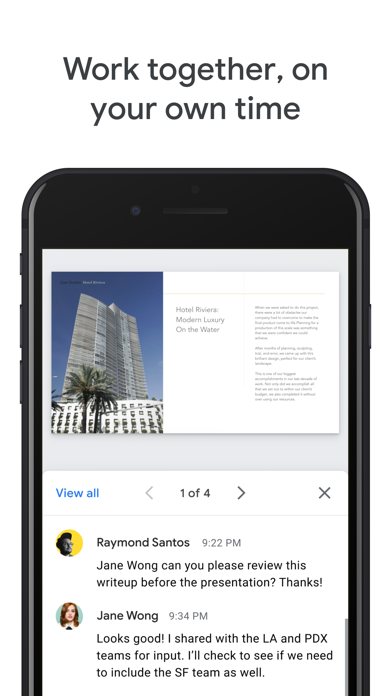
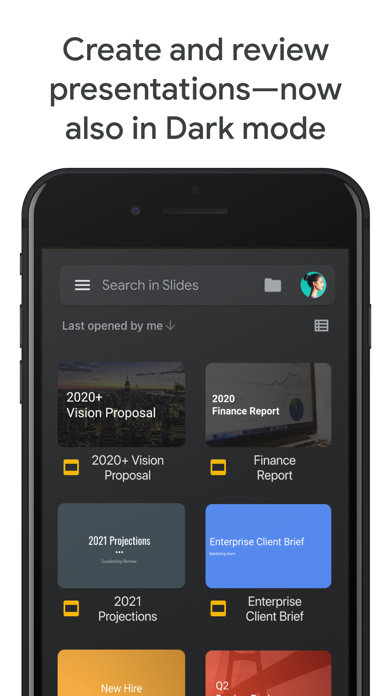
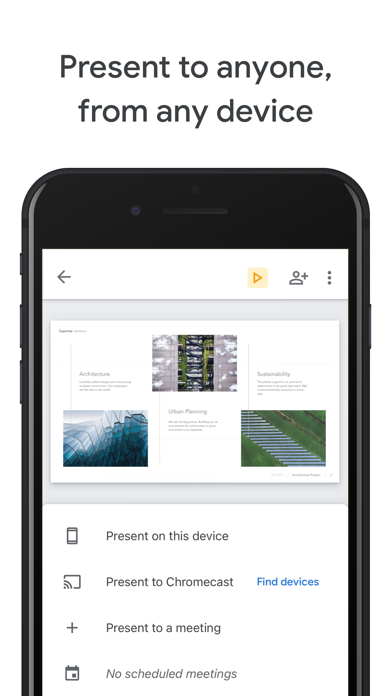
Create, edit, and collaborate on presentations with the Google Slides app. With Slides you can: * Create new presentations or edit existing ones * Share presentations and collaborate with others in the same presentation at the same time * Work anywhere, anytime - even offline * Add and rearrange slides, format text and shapes, and more * Present right from your device * Never worry about losing your work -- everything is automatically saved as you type * Present slides to video calls - scheduled meetings will automatically appear * Open, edit, and save PowerPoint files Google Slides is part of Google Workspace: where teams of any size can chat, create, and collaborate. Google Workspace subscribers have access to additional Google Slides features, including: * Collaborating on a single presentation online with your business partner, your whole team, or external contacts. You control who gets permission to edit, view, or just add comments. * Starting from scratch or expediting the process by choosing a template. You can enhance your presentations with videos, images, drawings, and smooth transitions. * Working across PCs, Macs, mobiles, and tablets—View or even present your slides from your phone or tablet, so you have the option to practice your presentation up until the last minute. Permissions Notice Camera: This is used for camera mode in video calls and to insert images taken with the camera. Microphone: This is used to transmit audio in video calls. Photos: This is used to access photos under the control of Photos application to let the users pick images to insert into slides.
Screenshots

Reviews

  • Unusable

    1
    By Pudding cake 300
    I use Google Slides all the time, but the iphone version is boarder line unusable. Unless you just want to edit text or shift things around a little bit, it's best to just find a computer to use the browser version. My main issue is that no matter what I do I cannot add images whatsoever on this version. If I paste in a picture from the web, it appears as a text box with the URL. It I tap the plus, add images, find the image in my library, then everything acts as it should, but without the image actually adding. This is incredibly frustrating as making a slideshow in my phone would be lovely, but a good slideshow needs images. I wouldn't be so upset if I could use Slides in the browser on my phone, but it will only let you go through the presentation as it already is. If you tap the pencil to edit the slideshow in your phone browser, it just gives you a pop up on the bottom to try the app. There are also many features missing from the app. For example, I can't seem to access animations, format options, text size, text alignment (besides left, right, and center), and many other features I love about browser Slides.
  • Pleased

    5
    By Melchoe de Sagun
    I have been blessed by this app.. Thank you! I hope to be able to continue to use it. It is very useful for my purposes.. teaching bible studies. Mel de Sagun
  • amazing

    5
    By Am at your house right now
    amazing
  • Fun

    5
    By graet apo you should try it
    I like to make slide shows
  • Lecture slides

    4
    By Biscuit or Triscuit
    Reviewing old school material from the past, Google slides deserves a pat on the back. Only prayers and blessings from one calling to another discipline.
  • I love this app!!!!

    4
    By Sloths 4 life
    Do I love this app it just looks weird when your new but over all I love the app I just can’t add a photo I wanted to I this it’s only on photo per slide but idk but the app is so so so soooooooo good please get it!!!!❤️❤️
  • .

    5
    By chloe marie ! 🩷
    Yo i have a presentation due at 12:59 please let me clutch
  • This app doesn't work

    1
    By ✨Luv this game✨
    I've tried everything but I cant add an image, I don't know why it's not working but please fix this and maybe I'll right a different review when it actually starts working. Another thing, I can't add an animation image, as in when you tap next and it animates itself on the screen, it works for my brother and we have the same device. I can't use this app at all because of these problems. Please fix 🔧 Edit: I found the problem for the image. It will not let me add the Indiana flag but it let's me add every other flag... I'm genuinely asking why you don't want the Indiana flag on my report...
  • Why

    4
    By KiloKG23
    One in a while when I’m working on a slide, all of a sudden, it prevents me from editing ANYTHING. So I have to go all the way back to the home page of the app just so I can edit it again. When I was working on a project, it took longer than it should have due to the fact that I had to keep leaving the slide over and over.
  • Difficult to use on IPad

    3
    By unucorn baby kitten
    I’m trying to make a presentation but I am stuck in viewer mode I have fully shut the app and closed and opened the slides it’s not working also I can’t find the sticker button at all!

keyboard_arrow_up