
PhotoScan by Google Photos

PhotoScan by Google Photos

By Google

  • Category: Photo & Video
  • Release Date: 2016-11-15
  • Current Version: 1.7
  • Adult Rating: 4+
  • File Size: 33.72 MB
  • Developer: Google
  • Compatibility: Requires iOS 15.0 or later.
Score: 4.81431
4.81431
From 86,887 Ratings

Description

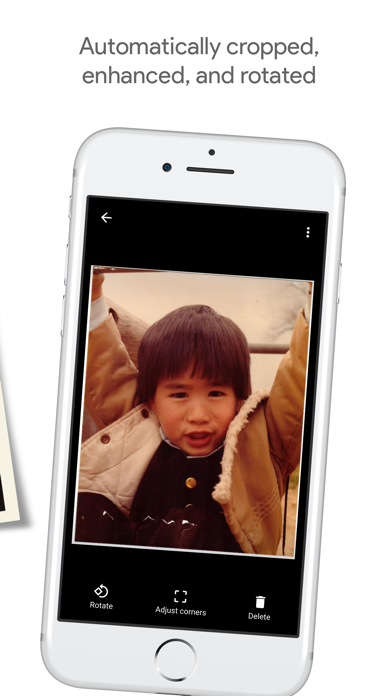
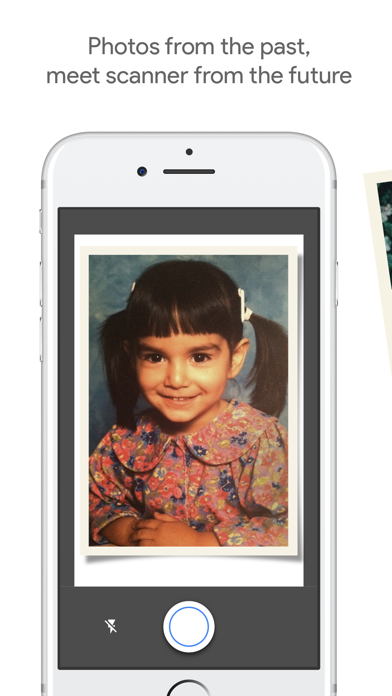
Photos from the past, meet scanner from the future. PhotoScan is an app from Google Photos that lets you scan and save your favorite printed photos using your phone’s camera. PICTURE PERFECT AND GLARE FREE Don’t just take a picture of a picture. Create enhanced digital scans, wherever your photos are. – Get glare-free scans with an easy step-by-step capture flow – Automatic cropping based on edge detection – Straight, rectangular scans with perspective correction – Smart rotation, so your photos stay right-side-up no matter which way you scan them SCAN IN SECONDS Capture your favorite printed photos quickly and easily, so you can spend less time editing and more time looking at your bad childhood haircut. For documents and photos in glare-free environments, toggle off glare removal for even faster scans. SAFE AND SEARCHABLE WITH GOOGLE PHOTOS Back up your scans with the Google Photos app to keep them safe, searchable, and organized. Bring your scans to life with movies, filters, and advanced editing controls. And share them with anyone, just by sending a link.
Screenshots

Reviews

  • Super easy and no glare

    5
    By timmyjf
    I downloaded the app and immediately started scanning my old paper pictures. So easy and there’s absolutely no glare.
  • works

    5
    By Rojodavid1027
    Had Polaroid photos and they are now digitally saved
  • Great!

    5
    By DaMeatloaf
    Very easy to use.
  • Answer to digitize!

    4
    By Chickadee11/11
    Looked for a quick and easy app to quickly digitize some photos I found in a box of my family! Loved the remove glare feature!
  • Easy

    5
    By Every ml
    It is very easy to use once you get the hang of it and quick
  • Glare Removal doesn’t Work

    2
    By HeighC
    Easy to use but the glare actually gets worse in the end result
  • Quality

    3
    By New Idea.1
    Some glare still on photos and quality of photos goes down
  • Free and easy

    5
    By layna1512
    I love that it’s free and easy to use!
  • Great tool. Needs image improvement

    4
    By NASADanno
    Very happy with this tool and the corners tool is fantastic. Just wish the image quality was better. Using a iPhone 16 so the quality should be great but the image seems over saturated
  • Easy to use

    5
    By DickensLiLi
    Very easy to use! Photos came out very clear and vibrant! Highly recommend!

keyboard_arrow_up