2Do

2Do

By Beehive Innovations Services

Description

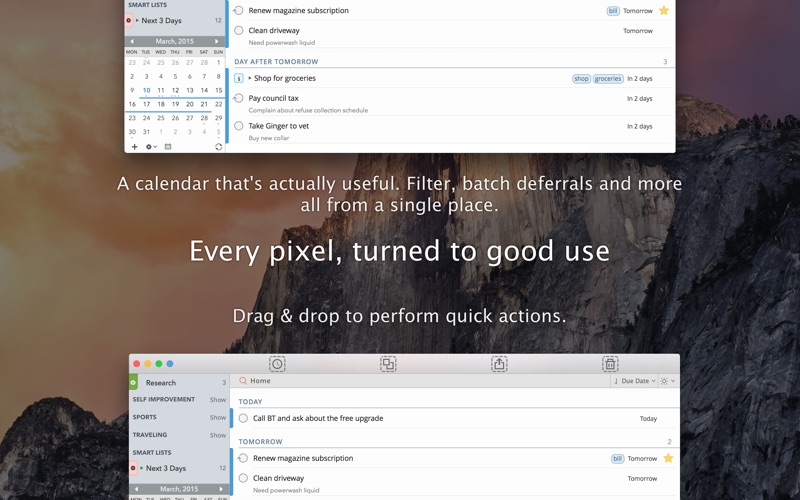
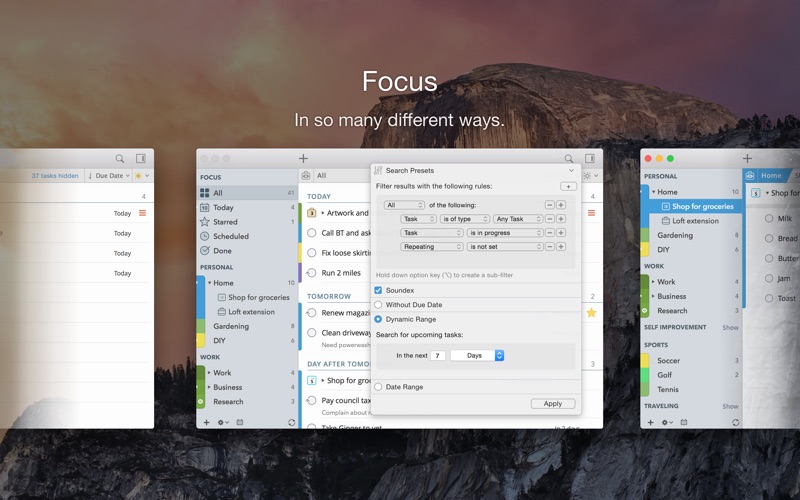
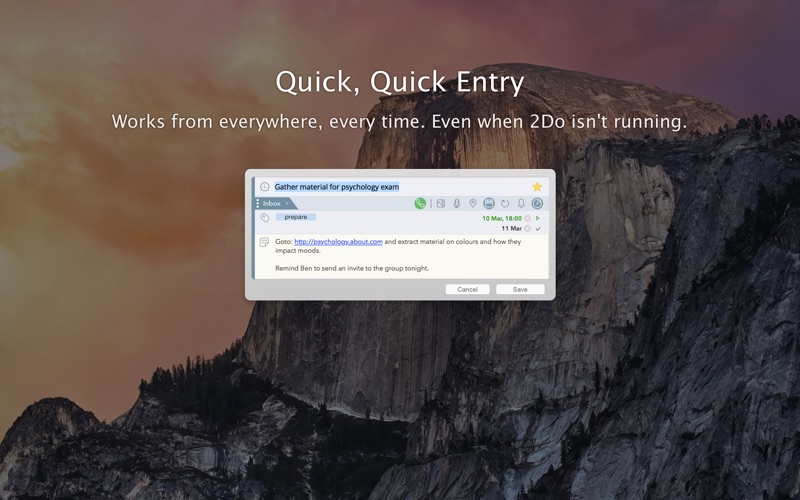
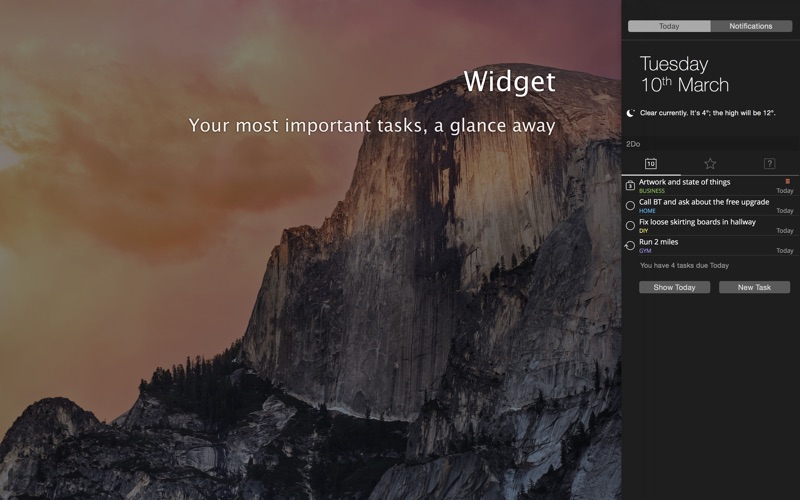
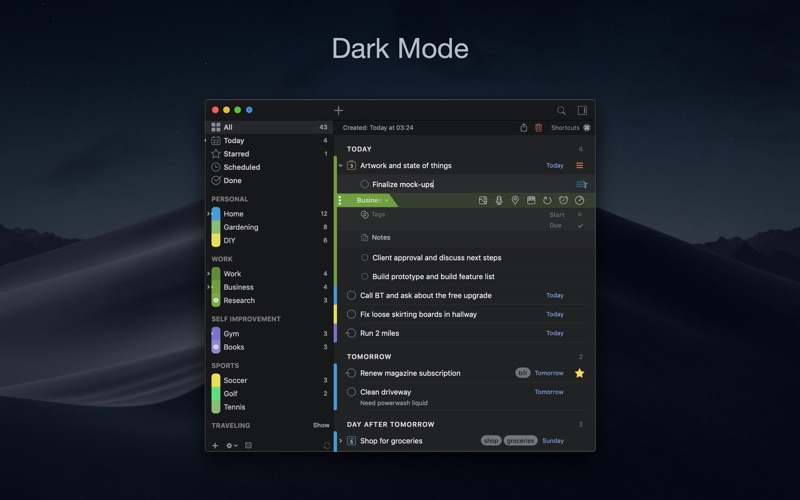
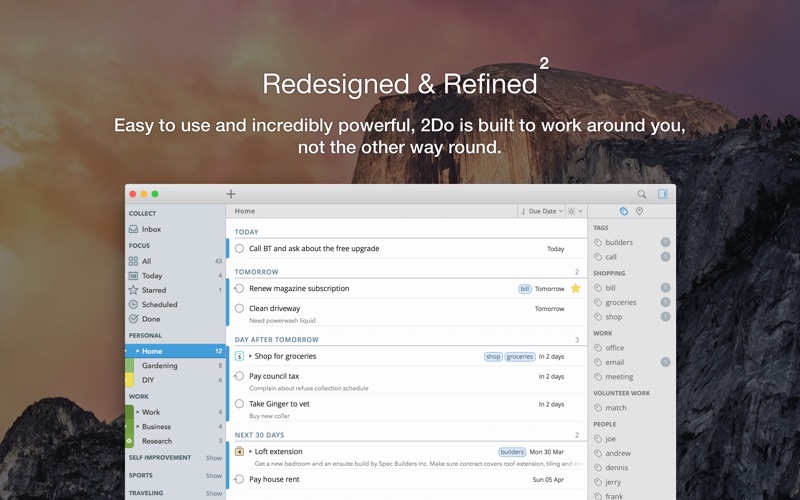
IMPORTANT NOTE: Pricing will be switching subscription-only soon GTD®, XYZ and everything in between - it can handle it all. Seriously. See and believe: YouTube.com/The2DoApp 2Do lets you take a completely different approach to managing your tasks. With its extremely simple-to-use interface and a comprehensive and flexible set of powerful features, it lets you focus on what's most important to you: your life. There is no wrong way of using 2Do, and unlike other to-do apps, it won't force you in adhering to a particular task management methodology. AWARDS • Apple - Best of 2013 Mac App Store • Macstories - App of the Year 2015 iOS • Cult of Mac - Best Task Manager for iOS SIMPLE TASKS, CHECKLISTS & PROJECTS • Create simple tasks, or checklists and projects with sub-tasks. Tasks can have notes, attachments and multiple alarms. • Set any task to repeat using a flexible set of options. LIST GROUPS, LISTS & SMART LISTS • In addition to built-in Focus lists that allow you to conveniently view upcoming, starred or scheduled tasks, you can create multiple lists to manage and organize your tasks. • Smart lists let you harness the true potential of 2Do using a number of search options, filters and search pre-sets. Using Smart Lists, you can create custom views of your tasks and use them to focus-in or find frequently managed tasks. • Furthermore, related Smart lists and Lists can be grouped together using a List Group in the order you desire. PROJECT VIEW • Quickly focus on your projects and their sub-tasks and nothing else • Access project view directly from the list view or using keyboard shortcuts • Focus filters and sort options can be applied separately to individual projects using Project View TAGS • Manage tags within Tag Groups. • Easily assign tags to tasks and vice versa. • Leverage the easy to use yet powerful integration of Tags & Smart Lists to filter on frequently managed tasks. • Find Used vs. Unused tags with a click. LOCATIONS • Easily create, edit and assign locations to tasks • Create powerful Smart Lists based on Locations SYNC • Stay in sync with multiple Macs and mobile devices running 2Do using your favorite sync method over fast and reliable Push Sync: Dropbox, Reminders (CalDAV), 3rd Party CalDAV Servers (iCal, Fruux, ownCloud etc) or Toodledo. • Using Dropbox, you can keep multiple devices in sync seamlessly. Devices can be added / removed at any time. • Using Reminders CalDAV sync you can keep 2Do and Reminders in sync as well as create tasks using Siri. • Unobtrusive automatic background sync supported for Dropbox, Reminders (CalDAV) and CalDAV. QUICK ENTRY • Save your thoughts as they come to you. Using a global hotkey, Quick Entry allows you to add tasks from any app or any Space. • 2Do does it right. Quick Entry works even if 2Do was not launched or is not running in the background. QUICK LOOK • Works just the way Quick Look does in Finder or other built-in OS X apps. Use the spacebar to zoom in and out of a task to preview notes, multi-line titles or other details attached to your tasks. ALARMS & NOTIFICATIONS • Stay on top of your tasks with alarms and notifications. Supports Notification Center as well as a built-in notification system which works even when 2Do is *not running*. • Set up automatic alarms for your tasks. PASSWORD PROTECTION • Your life is a private affair. Manage it by locking out individual lists or the whole app with a single click. AUTOMATIC BACKUPS • 2Do values your tasks. Periodic automatic backups are created for you which can be transferred from one machine to another or from the iOS version of 2Do to the Mac and vice versa. • Save & restore of external backups FLUID • Adding and editing tasks is blazing fast using in-place editors and popovers • 2Do supports both mouse users, by offering them numerous shortcuts, as well as keyboard power-users by supporting dozens of keyboard shortcuts • 2Do won't slow down over time
Screenshots

Reviews

  • Was 5 Stars but in macOS 26 went to 3 Stars

    4
    By hho26bw
    I am a long-time 2Do user. 2Do was always the absolute best task manager but macOS 26 broke it. 1. Marking the task as complete in the notification does not mark the task as complete in 2Do app if 2Do is running. 2. The Mac version sidebar does not collapse. 3. 2Do Notification setup needs a First option for Weekday.
  • Avoid at all costs if wanting the Mac version

    1
    By Marceth
    I’ve been a long time user of 2Do on Iphone and Mac. As a Project Manager I depend on the app for both work and private use. Love the features but in the past 6 months have faced constant app crashes on the Mac version. I’ve sent multiple emails to the developer giving examples of how to recreate the issue without getting a fix. I’m close to having to look for an alternative which will be unfortunate but just sick of having daily crashes.
  • Versitile and Functional, if Overly Complex

    5
    By Senor Tasty
    This is a solid task list app, with flexibility for repeating tasks, checklists, and projects. The display could be more flexible (e.g. drag and drop). And, while I'm sure there are users who benefit from the multiple layers of organization, I've been using planners for 35 years, and the complexity of this one is confusing to me, so I don't end up using a lot of what's built into it. Anyway, still highly recommend this app and have been using it happily for many years.
  • Update to Last Review

    5
    By Papa_Smurf65
    I have always like 2Do and now that it has been updated I can’t help but give it a 5-stars. It’s an outstanding program and customer service responded to the problem within a couple of days. Top notch and thank you!
  • Still Remains My #1

    5
    By Robert Kelley
    Notion / Full Focus Planner (paper) / Outlook / Apple Reminders … I have test driven and incorporated all varieties. None consistently deliver & give me what I need quite like 2Do! The key are the shortcuts & systems in 2Do. Easy 1-2-3-[Start] Priorities, Scheduling & Date. Tags… Quick “jot down this thing before I forget” Love how elaborate (and detailed) I can make a task, while being so easy to just quickly type something in. After using this app for - So many years (first iPhone then iPad & computer). I have tried retiring this for more complicated Project based systems (like notion). But nothing has yet to be as good as this one. To the man behind it all - Thank you for continuing to support this app. Thank you for making my life easier, and for those that live/work with me to like me just a little bit more, haha.
  • The best!

    5
    By kganony
    Thank you!
  • The only one that gets it right

    5
    By TheBigRace
    I have spent SO much time tinkering with different to do list and task manager apps, but I keep coming back to 2do. For people who are seeking out apps like this one of our top prioritizes is efficiency. What 2do does best is enable you to ZOOM around the interface with the way it implements shortcuts. The fact that I can press one or two keys to change priority, add a due date, tags, toggle modes, etc. makes it infinitely more useful than anything else I’ve used, including Apple’s own Reminders app. I want to thank the 2do team for continuing to support this software. I’m trying to remember if I ever actually had to pay for this app. If not, I gladly would. Even yearly.
  • Crashing

    5
    By Geriachick
    What's going on? This is the best GTD app but the last week it has crashed repeatedly when I'm adding tasks or checklists. I'm using the latest mac software on an iMac laptop.
  • 7 Years and Going Strong, Highly Recommend

    5
    By _R.
    I am an avid GTD practitioner. I have been using 2Do as my exclusive task managing app for over seven years now, both for work and life. I have a very specific system I've designed for myself, and 2Do is a perfect fit, I love it. I use Macs at work and at home, but I'm not an iPhone guy, I'm Android, and thankfully it works there, too. I love that there isn't a subscription, it's just a one-time purchase, and syncs with my free Dropbox account. I know people who have tried 2Do and didn't like havin to wait for the sync. Usually it doesn't take more than 5 or 10 seconds to sync. The more changes there are to sync, the longer it takes. 80% of the time it's 5 seconds or less. I like the shortcuts, color-coding, smart lists, setting priority levels, and plenty of other things. Customer support is responsive. Dark mode in macOS is great; I'd love a dark mode in Android, maybe that'll come someday, not a deal-breaker. I like hitting my keyboard shortcut to make the little "quick add" window pop up, and I can just capture/add a task/note right there no matter what other app I'm in, and I can either sort and tag it right there or just send it to my Inbox automatically and Clarify/Organize it later. I don't think I'll ever switch to anything else. Thanks.
  • Still my go to

    4
    By Konek
    Despite others on the market. I still find my way back to this app. I wish it had a calendar view or would sync with other apps. It's just a solid app with great features for managing tasks and projects.

keyboard_arrow_up